Geofence-based time tracking from a smartphone
Managers see real attendance across all sites and branches without turnstiles or roll calls: when and where each shift started, site exits and a ready-made timesheet.
7-day free trial · up and running in 15 minutes on smartphones
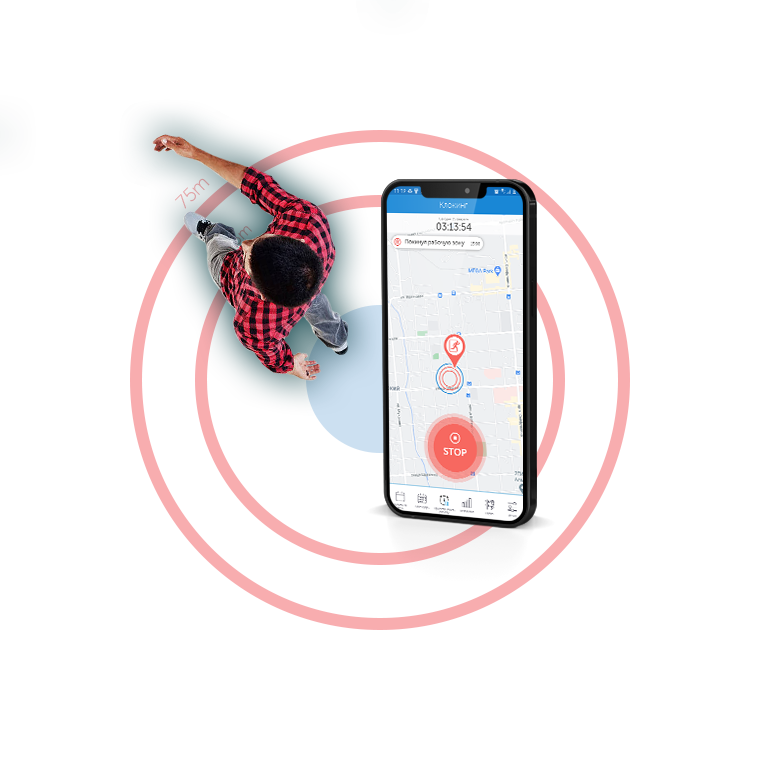
How shift tracking works without turnstiles
Employees clock in and out on their smartphones, the system checks their location against the site boundary and protects check-ins from spoofing.
-
GeoStatusAA
Wednesday, November 5
Work location 14 Sadovaya St. You are in the work zoneStart WorkdayTime and location are recorded when you tap
Workday started 08:57 · 14 Sadovaya St. 02:47:15 worked todayBreak FinishClock in and out in two taps
The employee taps “Start Workday” in the app. The exact time and GPS coordinates are recorded at that moment, so a shift never starts by accident just from walking past.
-
Work zonesUnlimited
- Branch “14 Sadovaya”6 in zone
- South Warehouse Complex5 in zone
- North Residential Construction Site3 in zone
Any site boundaries on the map
Outline an office, store, warehouse or construction site along its actual perimeter. There is no limit on the number of locations.
-
Check-in validityauto-check
- AA Akhmetov A. Coordinates confirmed · accuracy 5 m
- KD Kim D. Recorded offline at 08:00 · sent once connected
- YN Yermekova N. Lunch break ended inside the zone
- SP Smirnov P. Location spoofing detected (Fake GPS)
Check-ins protected against spoofing and connection lossAnti-spoofing and offline mode
The app detects Fake GPS apps, and when there is no internet at a warehouse or construction site, it stores check-ins on the phone until the network is back.
All attendance and site exits on one map
At any moment, managers can see whether sites opened on time, who is working on site, and who was late or left the work zone mid-shift.
A ready-made timesheet with no manual spreadsheet work
Actual hours worked, late arrivals, breaks, early departures and time out of zone are compiled into a single report for managers and accounting.
| Employee and location | Monday | Tuesday | Wednesday | Thursday | Friday | Weekly total |
|---|---|---|---|---|---|---|
|
AA
Akhmetov A.Branch “14 Sadovaya” · 09:00–18:00
|
08:56–18:028 h 06 min | 08:58–18:018 h 03 min | 08:55–18:008 h 05 min | 08:59–18:048 h 05 min | 08:57–17:588 h 01 min | 40 h 20 min |
|
MK
Kabanov M.North Warehouse · 09:00–18:00
|
09:16–18:0216 min late | 08:58–18:008 h 02 min | 09:00–17:34left −26 min | 08:57–18:038 h 06 min | 08:59–18:018 h 02 min | 39 h 28 min |
|
OM
Omarov M.North Warehouse · 08:00–17:00
|
07:58–17:018 h 03 min | 08:00–17:0024 min out of zone | 07:56–17:028 h 06 min | 08:01–17:007 h 59 min | 07:59–17:048 h 05 min | 39 h 49 min |
|
IV
Ivanchenko V.Store “Abay Ave, 44” · 09:00–18:00
|
08:54–18:038 h 09 min | 08:57–18:018 h 04 min | 08:55–18:028 h 07 min | 08:58–18:008 h 02 min | 08:56–18:018 h 05 min | 40 h 27 min |
| Date | Employee | Work zone | Scheduled shift | Actual | Deviation |
|---|---|---|---|---|---|
| 05.11.2026 | MK Kabanov M.Storekeeper |
North Warehouse | 09:00–18:00 | 09:16–18:02 | Late +16 min |
| 04.11.2026 | MK Kabanov M.Storekeeper |
North Warehouse | 09:00–18:00 | 09:00–17:34 | Early departure −26 min |
| 04.11.2026 | YN Yermekova N.Administrator |
Branch “14 Sadovaya” | 09:00–18:00 | 09:09–18:10 | Late +9 min |
| 05.11.2026 | AA Akhmetov A.Shift supervisor |
Branch “14 Sadovaya” | 09:00–18:00 | 08:57–18:01 | On schedule |
| Date | Employee | Work zone | Scheduled break | Geofence exits | Net time |
|---|---|---|---|---|---|
| 05.11.2026 | OM Omarov M.Order picker |
North Warehouse | 12:00–13:00 (60 min) | 09:56–10:20 · 24 min out of zone | 7 h 36 min |
| 05.11.2026 | IV Ivanchenko V.Sales associate |
Store “Abay Ave, 44” | 13:10–13:55 (45 min) | Stayed in zone | 8 h 09 min |
| 04.11.2026 | AA Akhmetov A.Shift supervisor |
Branch “14 Sadovaya” | 13:00–14:00 (60 min) | Stayed in zone | 8 h 05 min |
Actual hours worked
The system automatically calculates net shift time based on each employee’s schedule, lunch breaks and site exits.
Late arrivals and early departures
Every deviation from the schedule is instantly highlighted in the report by day and location, with no paper logs or manual cross-checks.
Save up to 5 hours a week
The ready-made timesheet exports to Excel for fast, accurate payroll.
For branches, retail and temporary sites
Where turnstiles and biometrics are too expensive or technically impossible, shift tracking launches in 15 minutes on employees’ regular smartphones.

Retail chains and stores
Each morning you see at a glance whether stores, coffee shops and pickup points opened on schedule. Managers no longer need to chase photos and check-ins in messengers.
Remote offices and branch networks
Transparent attendance and a single timesheet across all cities without an HR officer at every location. Shift schedules can be set flexibly for departments and individual employees.
Construction sites, warehouses and security posts
A site boundary is outlined on the map in a minute and easily moved when the crew relocates to the next construction site.
Outsourcing and field technicians
Accurate confirmation of working hours for cleaning staff, merchandisers and technicians at client sites, with no need to integrate with third-party access control systems.

See the system in action — 7-day free trial
It takes just 15 minutes to create an account, outline work zones on the map and add employees. No hardware to buy — regular smartphones are all you need.
Frequently asked questions
Does the shift start automatically when an employee enters the geofence?
No. The employee taps the “Start Workday” button in the mobile app — at that moment the system records the exact time and GPS coordinates and checks that the employee is inside the work zone. This rules out false check-ins when someone simply walks past the site.
Meanwhile, any exit beyond the assigned area during an open shift is logged automatically: what time the employee left and how many minutes they were away.
Does the app track employee location outside working hours?
No. Presence control and GPS movement tracking only work during an active shift. As soon as the employee taps “Finish Workday”, location sharing stops.
Can the system be fooled with GPS spoofing apps?
The GeoStatus app verifies the authenticity of satellite data and detects Fake GPS and spoofed coordinates. Such attempts are logged and shown in a dedicated anti-fraud report for the manager.
What happens if the internet goes down at a warehouse or site?
The mobile app works offline: shift start and end check-ins, breaks and GPS tracks are stored on the smartphone with the exact time of each event. Once connected to a mobile network or Wi-Fi, the data is automatically sent to the server.
Do I need to buy terminals, tags or access control hardware?
No additional hardware is required. Employees only need regular Android or iOS smartphones, while managers and accountants work in a web browser with no software to install.
How do I send the timesheet to accounting?
The timesheet is generated automatically for any selected period and can be exported to Excel for payroll and HR records. This saves managers and HR up to 5 hours a week of manual report consolidation.
How much does time tracking cost, and can I add mobile employees?
For geofence presence control there is a separate, affordable Time Tracking plan billed monthly per user, with a 10% discount for annual payment. On-premise installation on company servers is also available if needed — for current terms, see Pricing.
The same GeoStatus account also lets you manage mobile crews (tasks on the map, “Before/After” photo reports) and your fleet — learn more in Field Workforce Management.