Android OS settings on Huawei devices
Background operation
To allow the application to continue updating location data even when it is minimized or the screen is locked, you need to allow it to run in the background.
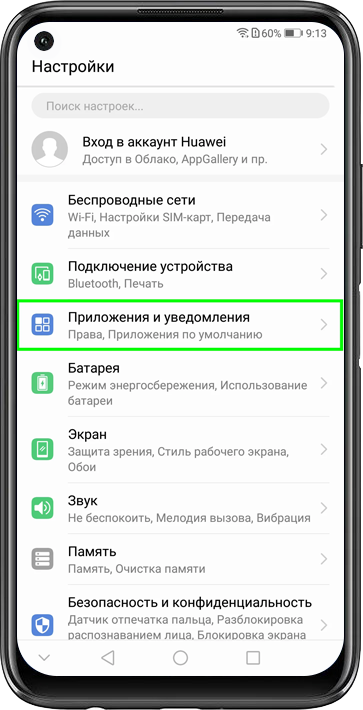
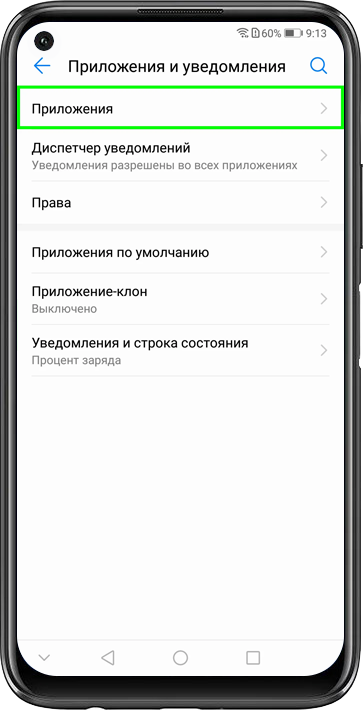
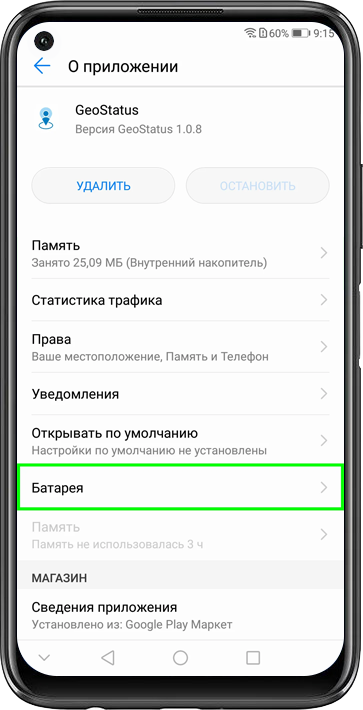
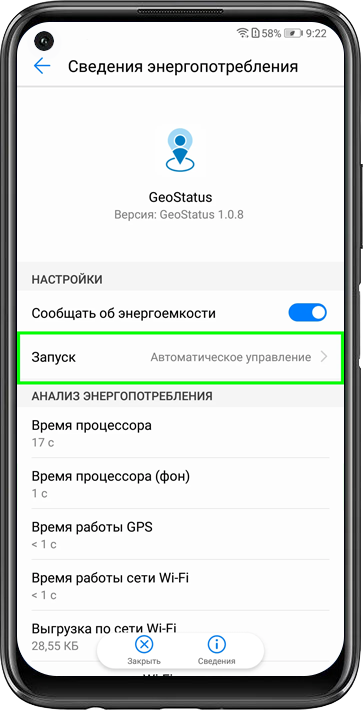
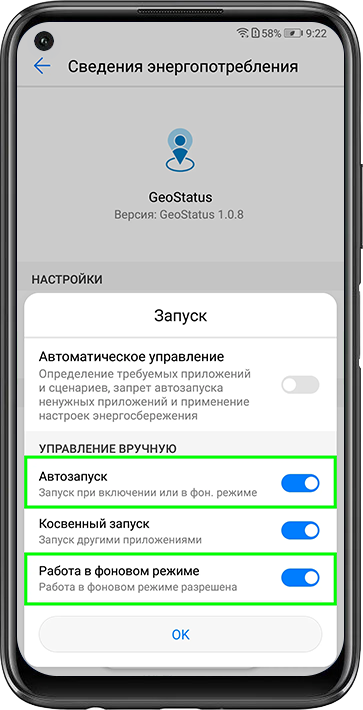
Open: Settings → Apps & notifications → Apps → GeoStatus → Battery → Launch → Manage manually → Auto-launch and Run in background → Move the toggles to the right.


Access to location and storage
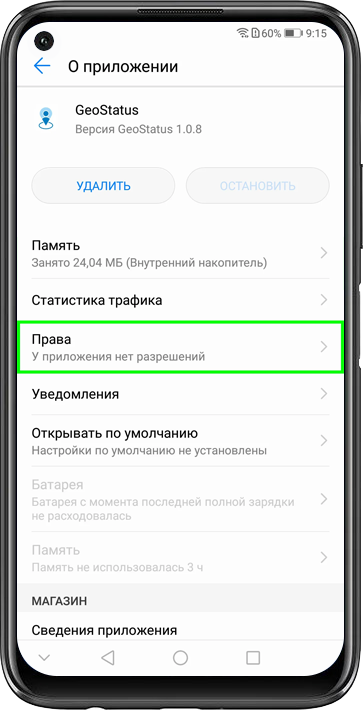
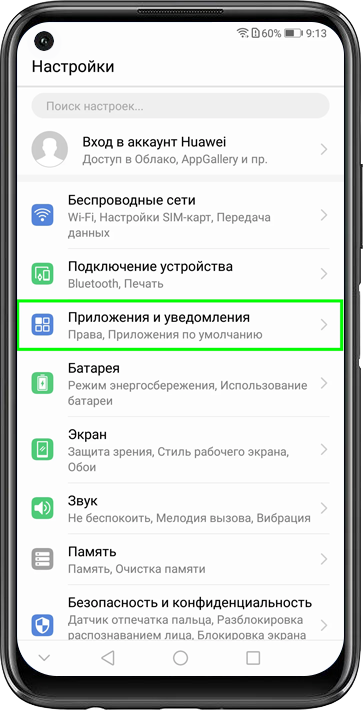
Open: Settings → Apps & notifications → Apps → GeoStatus → Permissions → Your location and Storage → Move the toggles to the right.