Android OS settings on Xiaomi devices
Background operation
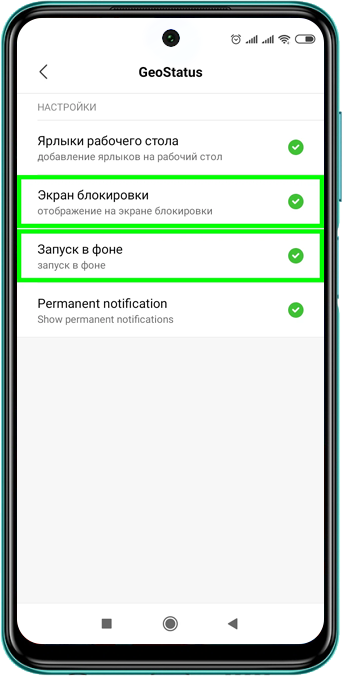
To allow the application to continue updating location data even when it is minimized or the screen is locked, you need to allow it to run in the background.
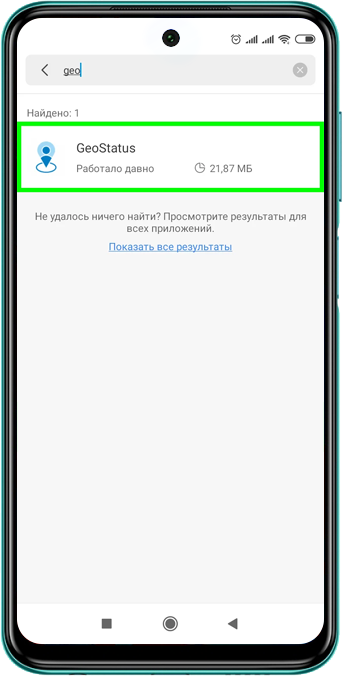
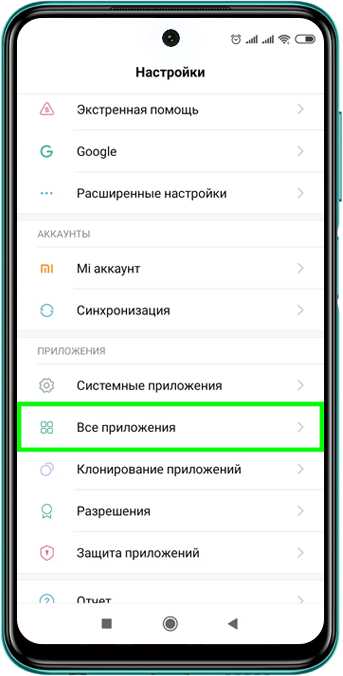
Open: Settings → All apps → GeoStatus → Other permissions → Set permissions for Lock screen and Run in background.


Access to location and storage
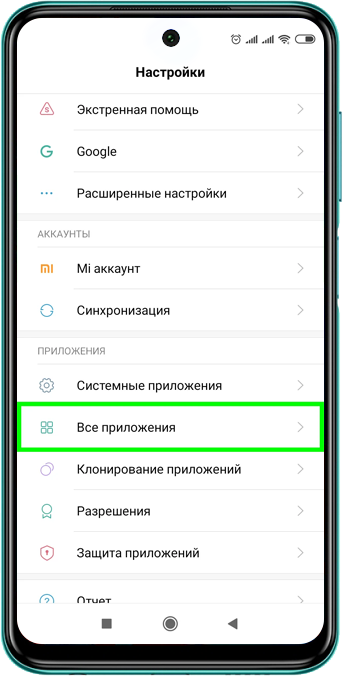
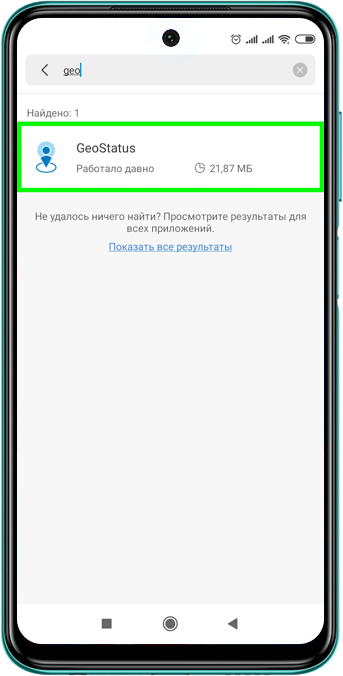
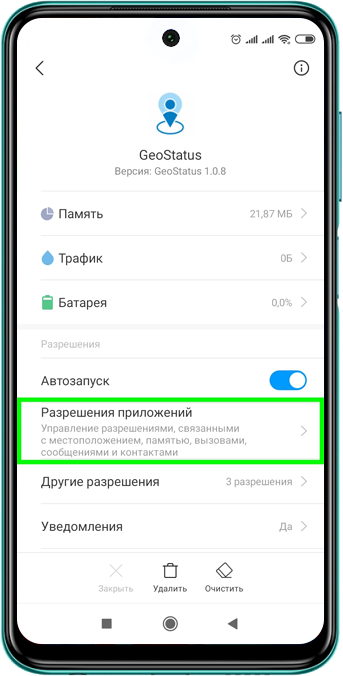
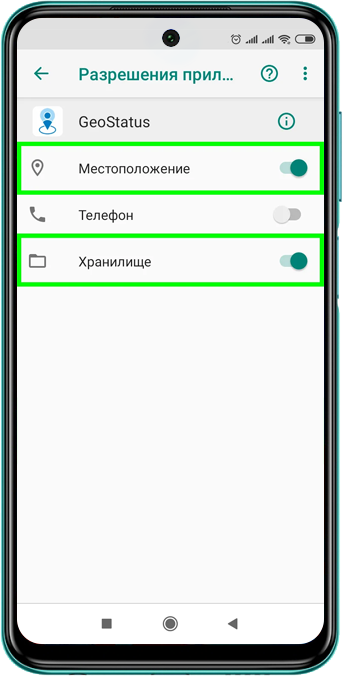
Open: Settings → All apps → GeoStatus → App permissions → Location and Storage → Move the toggles to the right.
Autostart
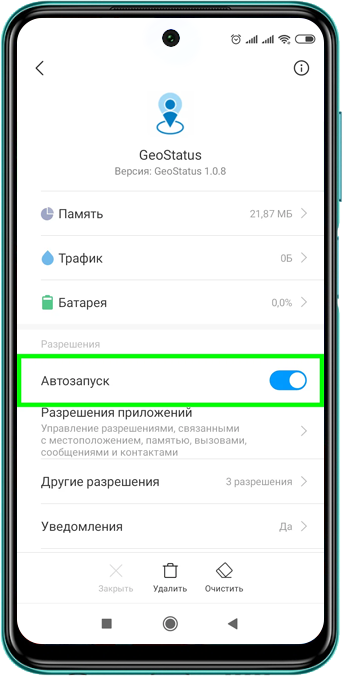
To allow the application to start automatically after the device is turned on, allow it to use autostart.
Open: Settings → All apps → GeoStatus → Autostart → Move the toggle to the right.